For drivers in Nairobi
See the camera before it sees you.
Speedcoach warns you before you reach a speed camera — even with your phone locked and music playing.

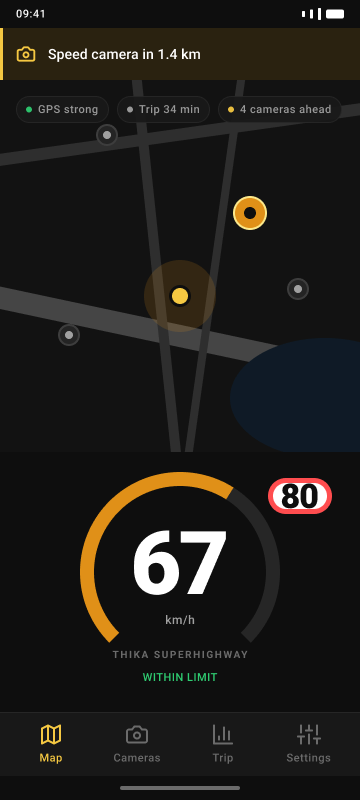
Kenyan roads don't warn you. We do.
A fine you never saw coming
NTSA cameras don’t announce themselves. Most drivers find out after the SMS arrives.
Cameras you didn't know were there
No signage, no warning triangle — just a camera and a bill.
No idea what the limit actually is
Limit signs are inconsistent or missing on many stretches. Speedcoach shows the posted limit or shows nothing — it never guesses.
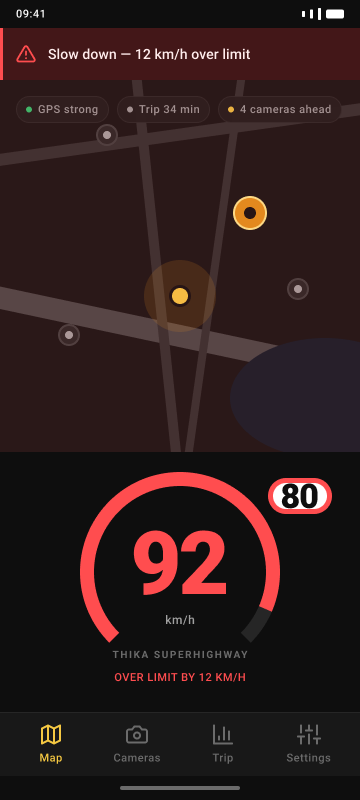
The dial tells you before you find out the hard way
What it does
Six things Speedcoach actually does
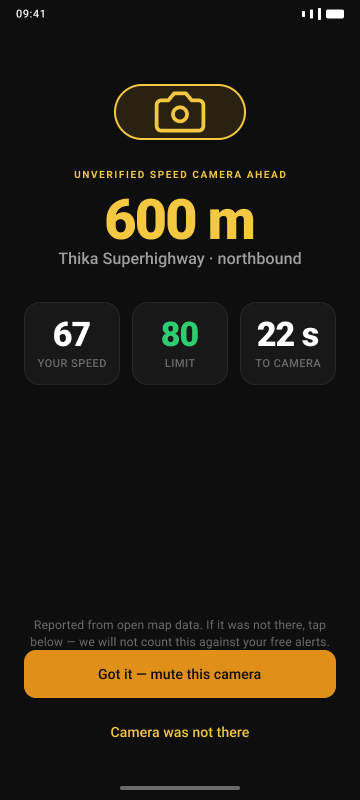
Camera alerts
A full-screen warning with distance countdown as you approach a known camera.
Live speed vs. limit
Your speed against the posted limit, always on screen while you drive.
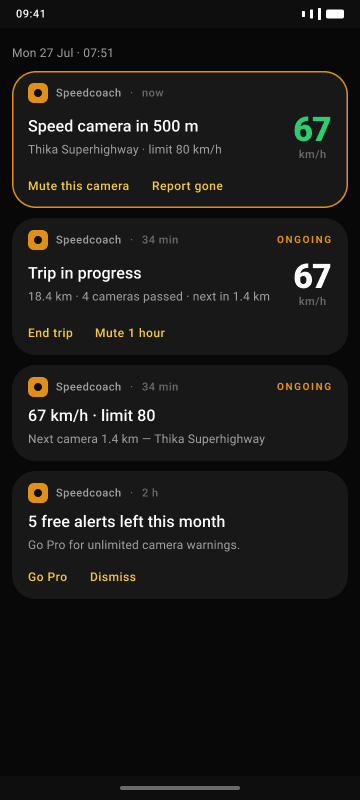
Background alerts
Alerts keep firing with the screen off and Spotify or Google Maps in front.
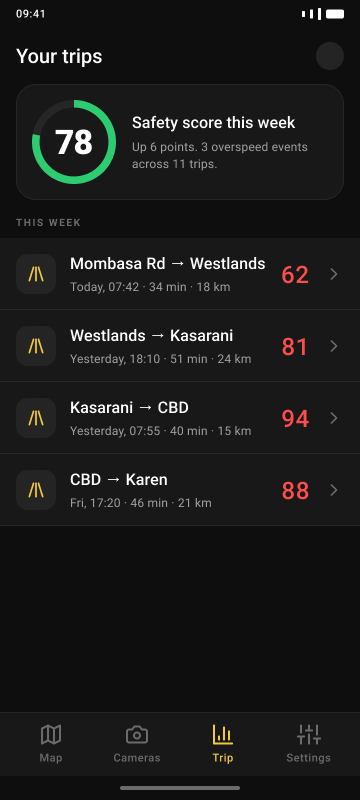
Trip history
Every trip logged on-device: distance, duration, top speed — nothing uploaded but the summary.
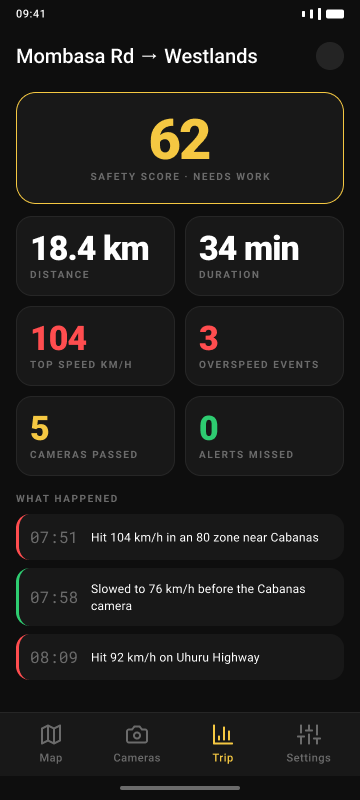
Safety score
A per-trip score from your speed and alert events, so you can see the trend, not just one drive.
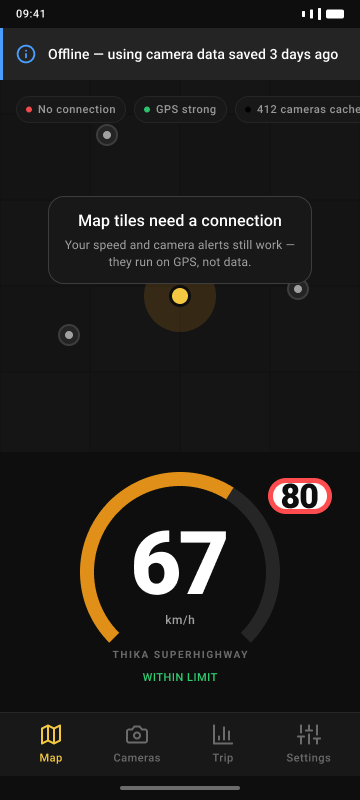
Offline by design
The camera database lives on your phone and refreshes when you have signal. Alerts work without data.
How it works
Install
Get Speedcoach from Google Play. No account needed to look around.
Allow location
Speedcoach asks for location "all the time" — that’s what lets alerts fire while the screen is off or another app is in front. We ask up front so it isn’t a surprise mid-drive.
Drive
Cameras and speed alerts run in the background. Check trip history after.
Free vs. Pro
Purchased in-app through Google Play. Billed by M-Pesa or card, cancel any time in Play subscriptions.
Free
KES 0 forever
- 50 camera alerts a month
- Live speed vs. posted limit — unlimited
- Overspeed warnings — unlimited
- Basic trip summaries
Save 37% annually
Pro
KES 199 per month
or KES 1,499 per year — KES 125/month
- Unlimited camera alerts
- Background alerts while using maps or music
- Full trip history and safety-score trends
- Priority access as coverage expands beyond Nairobi
Questions
Frequently asked
Does Speedcoach work without internet?
Yes. Camera alerts and speed warnings run on GPS alone — the camera database is stored on your phone. You only need data to refresh that database and to update map tiles.
Does it drain my battery?
Under 8% on a typical one-hour drive. The background service is built to hold a GPS fix efficiently rather than poll continuously.
Is it legal to be warned about speed cameras in Kenya?
Speedcoach warns you about your own speed and about fixed camera locations that are already public knowledge — it does not interfere with any camera or evade enforcement. This reflects our current understanding and is not legal advice; if you have specific concerns, consult a lawyer.
Why does it need location all the time?
Because alerts have to keep firing while you’re using music or navigation apps, or with the screen off. Without background access, alerts would stop the moment you switch apps — which is most of a drive.
How accurate are the camera locations?
Community-verified, updated continuously, not guaranteed.
What do I get for free?
50 camera alerts a month. Live speed and overspeed warnings are unlimited and free, even without a subscription.
How do I pay?
Through Google Play, using M-Pesa or a card. Speedcoach does not process payment itself and there is no other way to pay.
How do I cancel?
Open the Google Play app, go to Menu → Subscriptions → Speedcoach, and tap Cancel. Access continues until the end of the paid period.
Which roads are covered?
Expanding coverage across Nairobi corridors at launch. We add roads as camera locations get verified — if a camera near you isn’t covered yet, Speedcoach simply won’t warn you about it.
Does it work on iPhone?
Not yet. Speedcoach is Android-only for now.
Stop finding out about cameras from a fine.
Free to install. No subscription required to drive safer.